3 minutes
Wifi beaconing
Maj 2026-02-01
I'll post the full code on GitHub with more technical details.
Here, I'm explaining how I solved my issues.
I'm learning to use aircrack so,
I will not implement deauthentication to not lost my time.
Wireless Security Research : 802.11
I wanted to learn the basics of WiFi network attacks, so I started experimenting with deauthentication and beaconing. Beaconing is interesting because it relies on user interaction. I enjoy creating personalized clones that mimic real-world services; for example, it was fun rebuilding a fake Moodle login page for a French university. After using Aircrack-ng for deauthentication, I decided to focus less on the attack itself and more on improving the realism of my phishing pages. My next steps are to link these fake Access Points (APs) to the pages and implement a small DNS service to redirect all connections to the correct authentication portal.
I use an ESP32
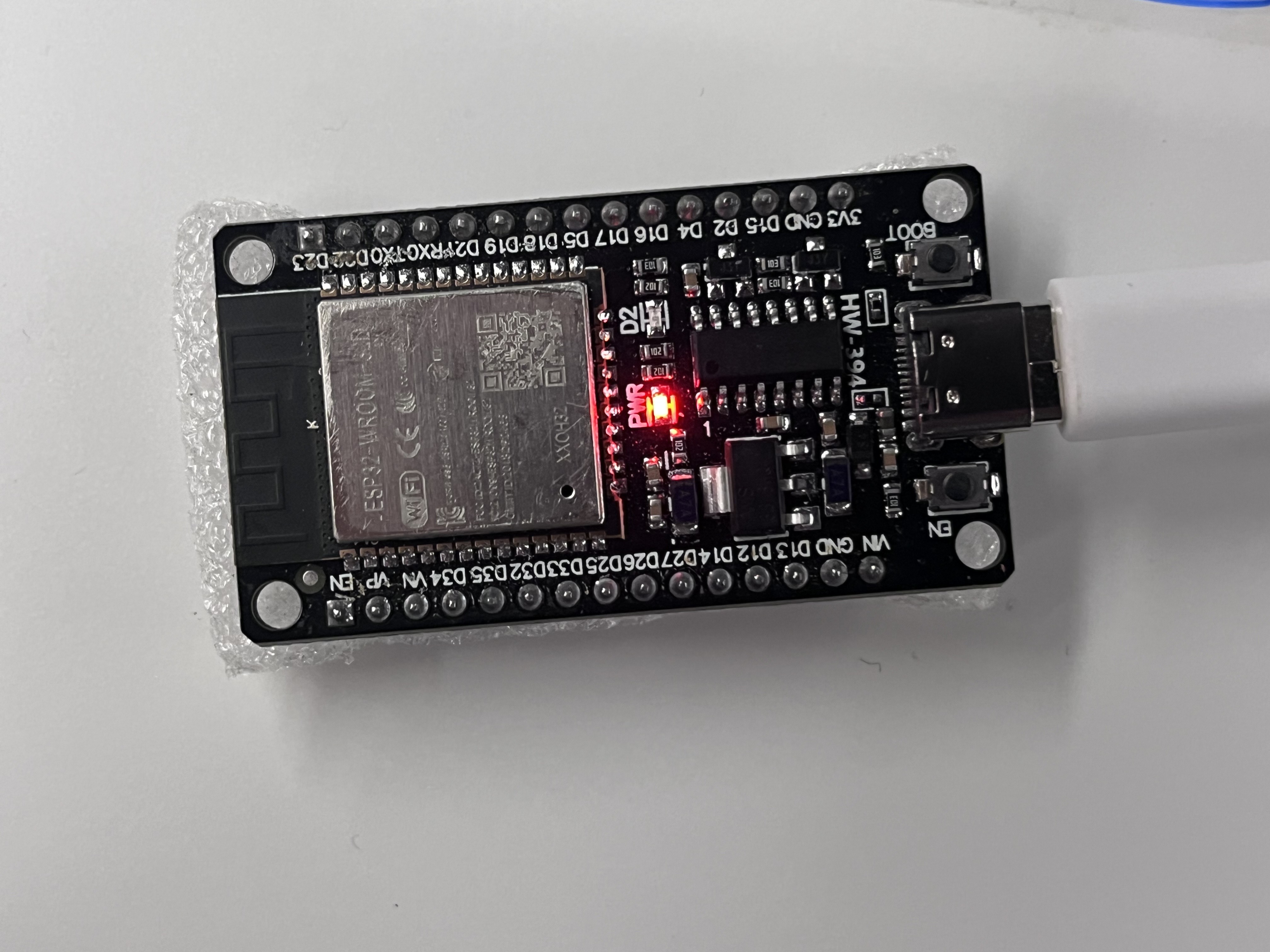
Phase 1
I tried to manipulate control frames using MicroPython, but it’s restricted and didn’t work. To handle management frames (802.11), I had to go low-level with C. I took a constructive approach using the documentation, starting by displaying one network, then several.
At first, I used Thonny which allowed me to flash and see the code live, very easy. But with MicroPython, I didn’t have the necessary low-level access.
I finally switched to flashing with the esp-idf tool.
send_fake_beacon("Free_WiFi");
send_fake_beacon("Airport_WiFi");
send_fake_beacon("Hotel_Guest");
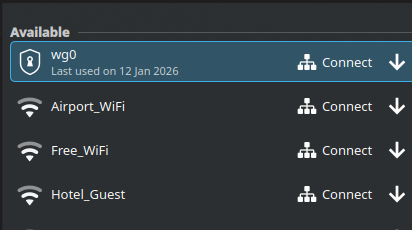
It worked, I could send Wi-Fi signals with different names. However, with the same MAC address, they all showed up. Then I wanted to display the same Wi-Fi multiple times, but devices merge them into one when parameters and SSID are identical. So I pivoted to spreading a massive amount of fake Access Points.
Phase 2
Simulating my university network:
const char* list[] = {"Eduroam", "eDuroam", "edUroam", "EDUROAM", "eduroaM"};
I just have to call send_fake_beacon for each element in the list.
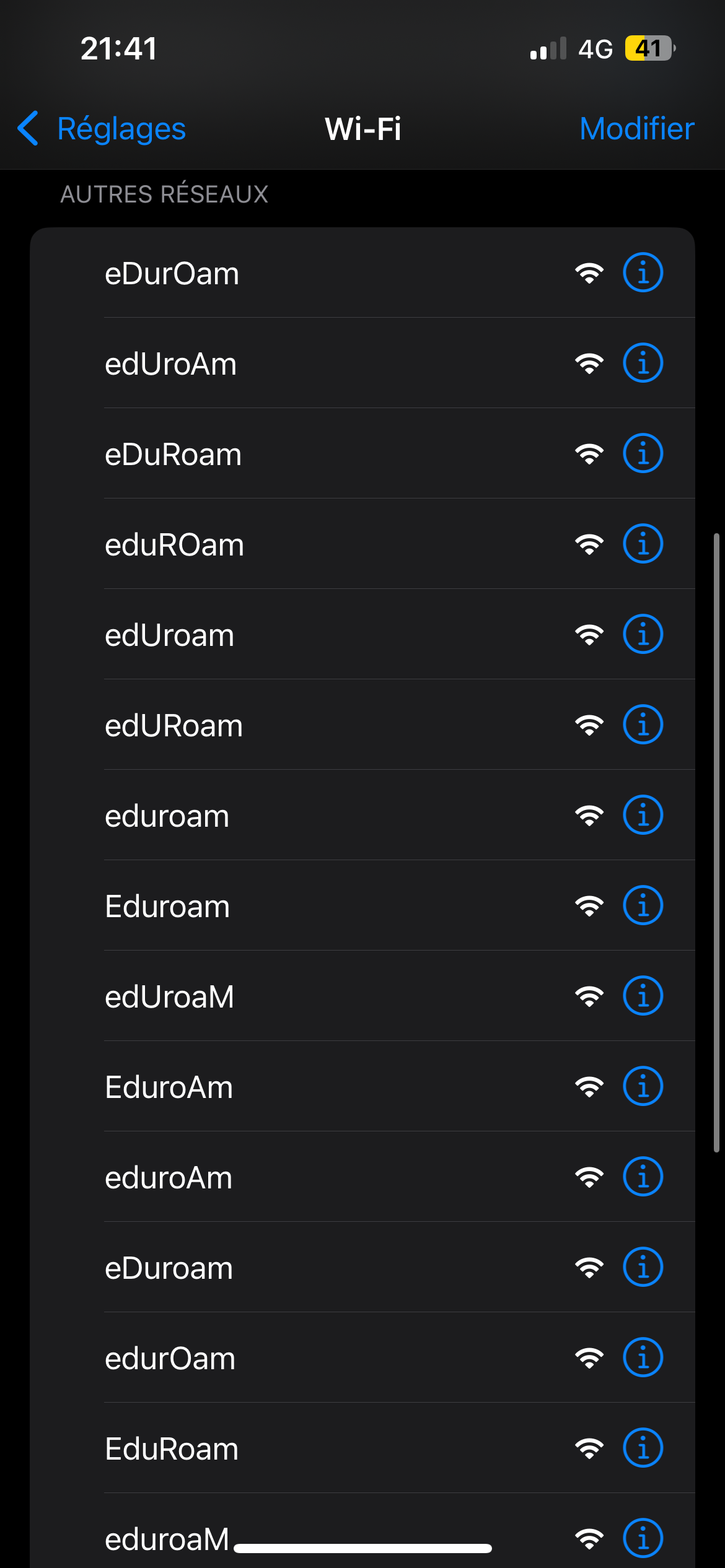
Phase 3: Captive Portal
I decided to implement a fake HTML login page that I can adapt for various entities like SNCF, McDonald’s, or universities. The goal is to nudge people into authenticating via email or phone number by entering a password. I lead them to think they are logging in for Wi-Fi access while I capture the credentials.
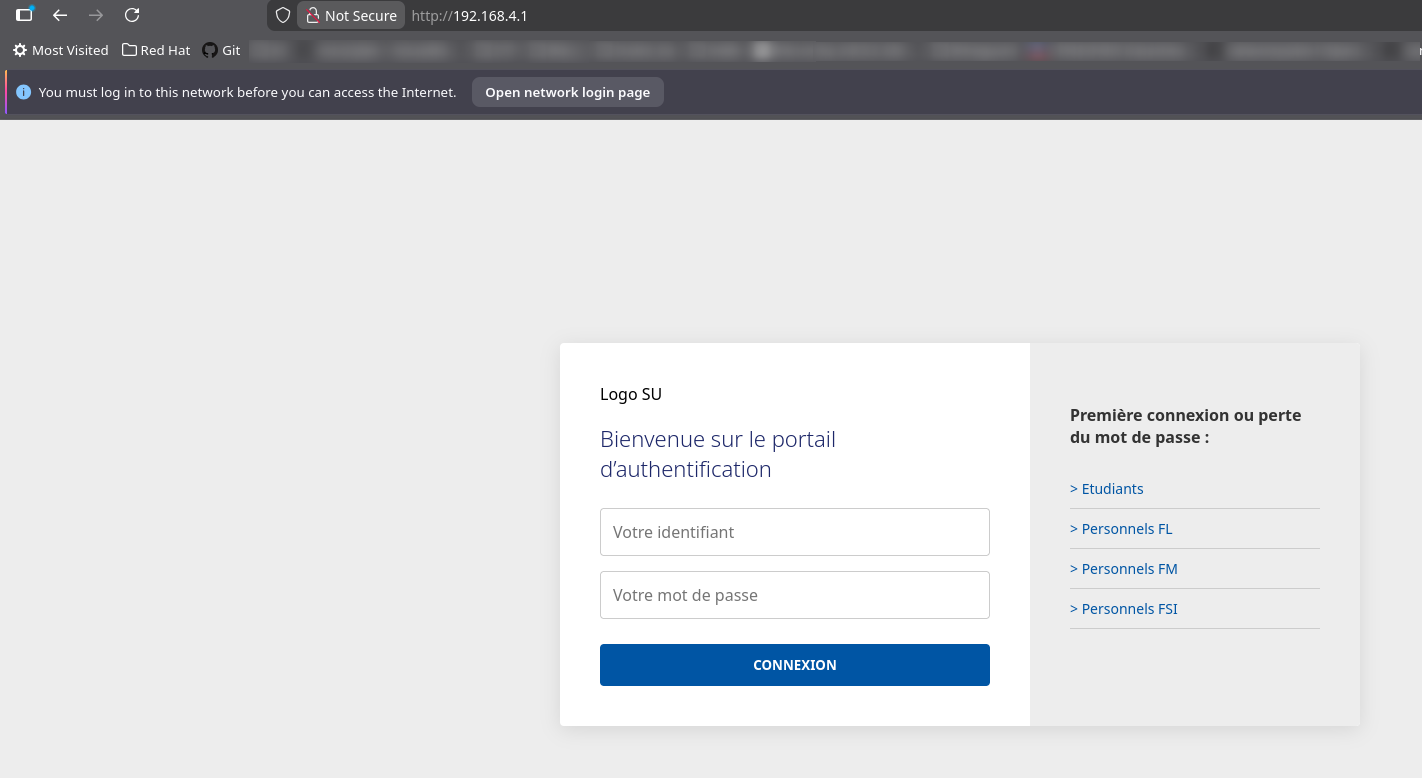
I found out this basic setup is called a captive portal. My goal is that by sending multiple fake APs, users get suspicious and eventually click on the “real fake” one. As you can see, this is a basic implementation of a login system for Sorbonne University.
As mentioned before, I will add more login pages. Before that, I need to configure a DNS that redirects all requests to http://192.168.4.1.